

Overview
NIA is an AI assistant integrated into the Insight website. Customers can interact with NIA through text or voice to ask questions, discover products and content, track orders, find their sales representative, and get support.
I worked on the user experience and interface of NIA from its initial MVP through its ongoing development, working across the core experience, features, and different customer states. NIA is currently in Beta.
Role: UX/UI Designer
Team: 2 UX Designers · Product Owners · Developers
The Challenge
Insight’s website offers a wide range of products, services, and resources. Customers may know what they are looking for without always knowing where to find it or which path to take.
NIA was introduced to give customers a more direct way to interact with Insight, allowing them to describe what they need and get relevant help through conversation.
The initial MVP focused on product recommendations, content discovery, order tracking, Find my Rep, and other support options.
As NIA evolved, the challenge becae how to expand its capabilities while keeping the experience clear, useful, and easy to navigate.
Designing the Experience
NIA needed to support different types of customer needs without making the experience feel like a collection of separate features.
A conversation could lead to:
Discover
Products, content, accessories, or warranties.
Complete a task
Track an order or find a sales representative.
Get support
Connect with a live agent when additional help is needed.
I worked across the flows and interaction patterns that bring these experiences together within the conversation.
Logged-in & Logged-Out
NIA initially launched within the logged-in experience before expanding to logged-out users.
The main difference between the two experiences is the level of account-specific functionality available.
Logged-in users can access:
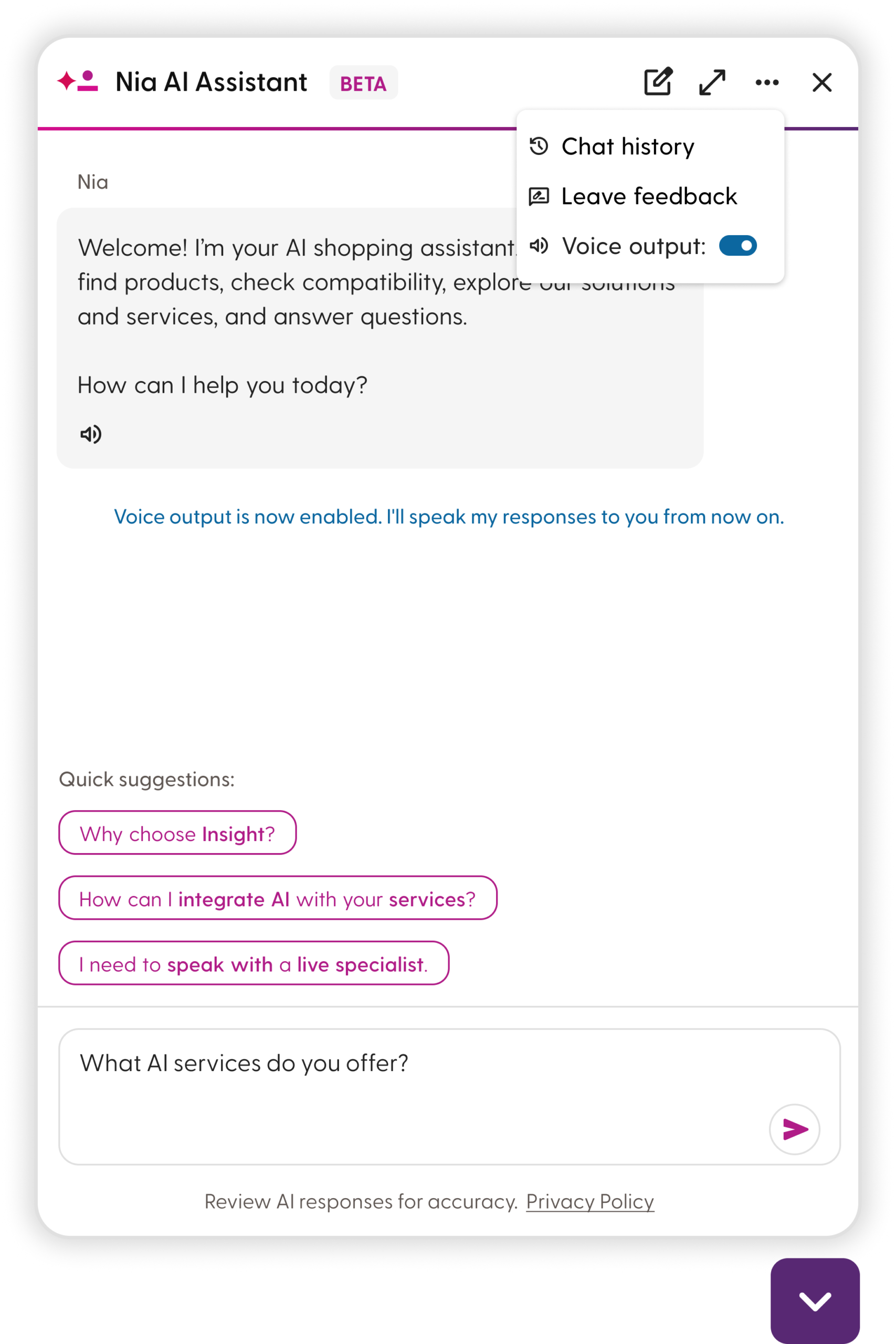
- Chat history
- Order tracking without entering additional information
- Find My Rep
- Other account-aware assistance
Logged-out users can still use NIA for general questions, product and content discovery, and other capabilities that don’t require account information.
This means that some features are only available after the customer signs in, while other features can be used without an account. We designed the experience to make this difference clear and show customers when they need to log in to continue.
Key Features
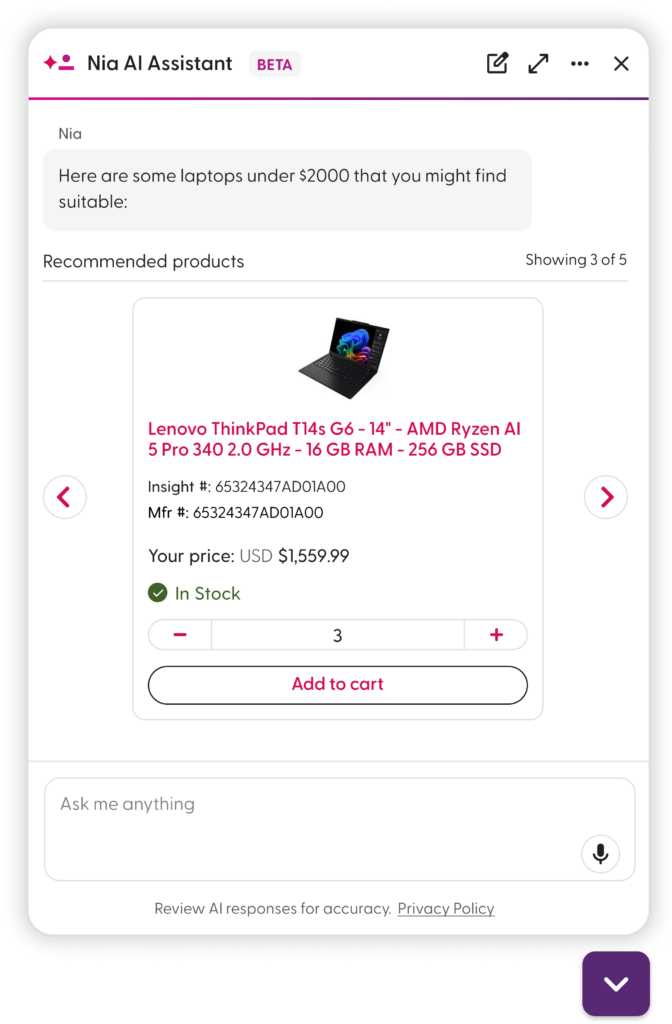
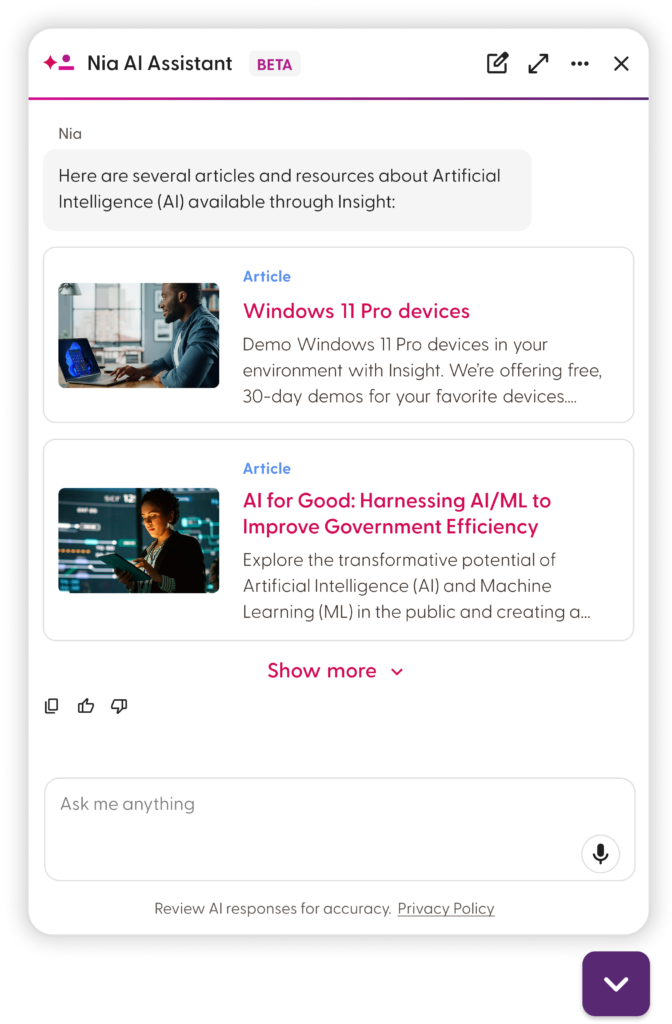
Product & Content Discovery
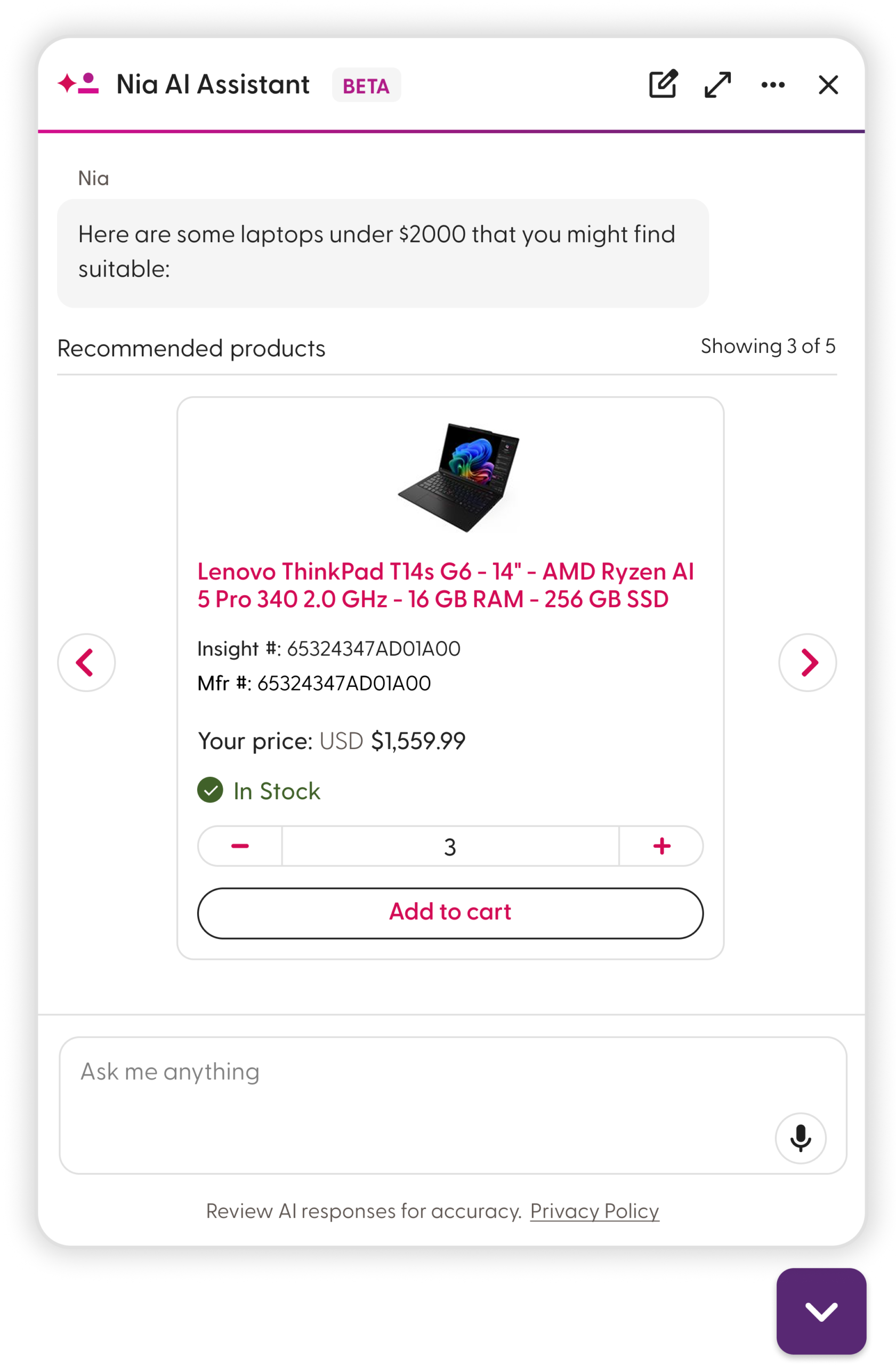
Product recommendations and content discovery were part of NIA from the initial MVP.
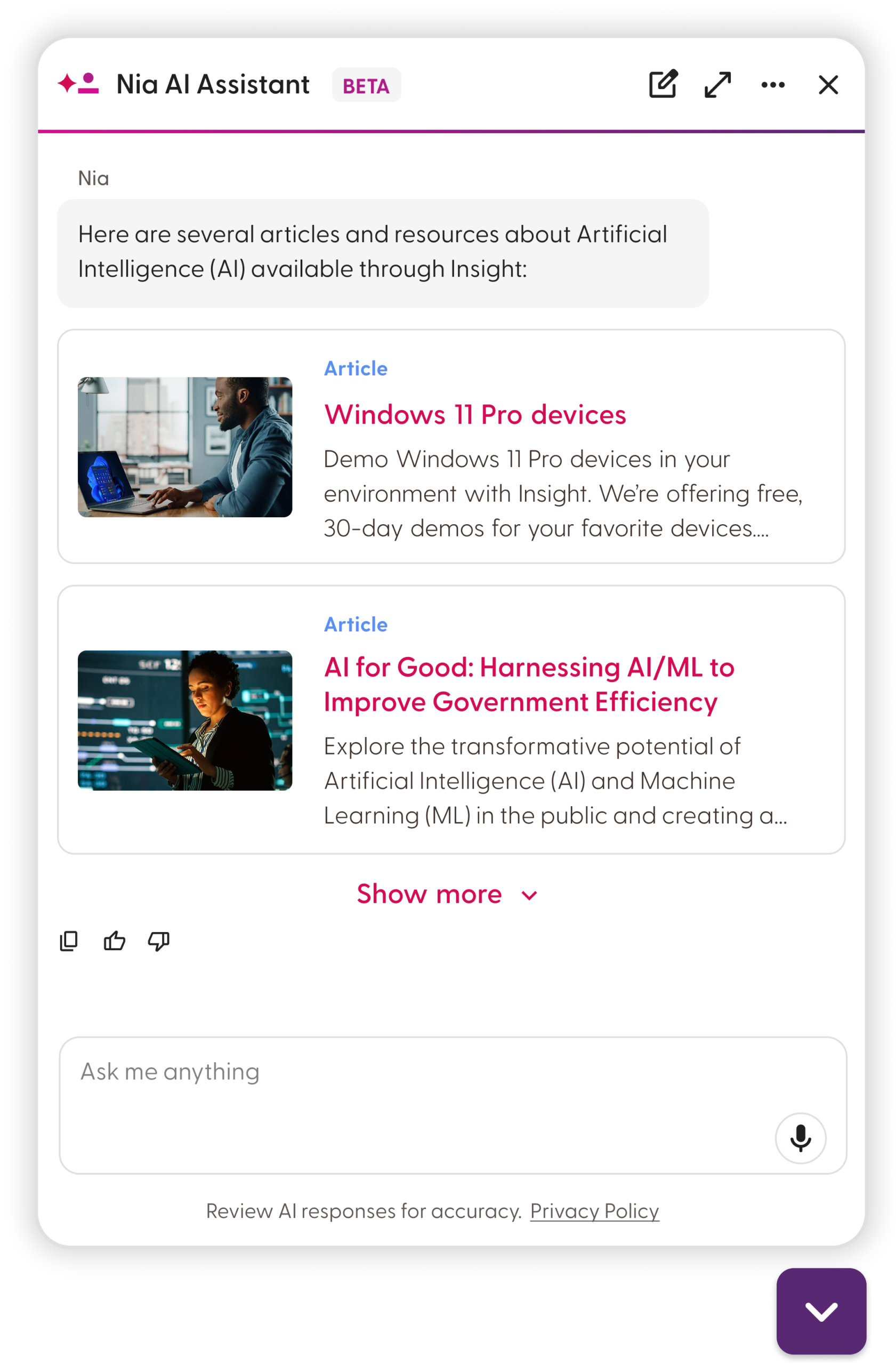
NIA can recommend products and surface relevant content such as eBooks, articles, client stories and other content types.
I designed how these recommendations appear within the conversation through product cards, carousels, and content recommendations.
Order Tracking & Find my rep
For logged-in customers, NIA can support account-specific tasks such as checking an order and finding their sales representative.
I worked through how structured information could be presented within the conversational experience while accounting for different states and actions.
Live-Agent Handoff
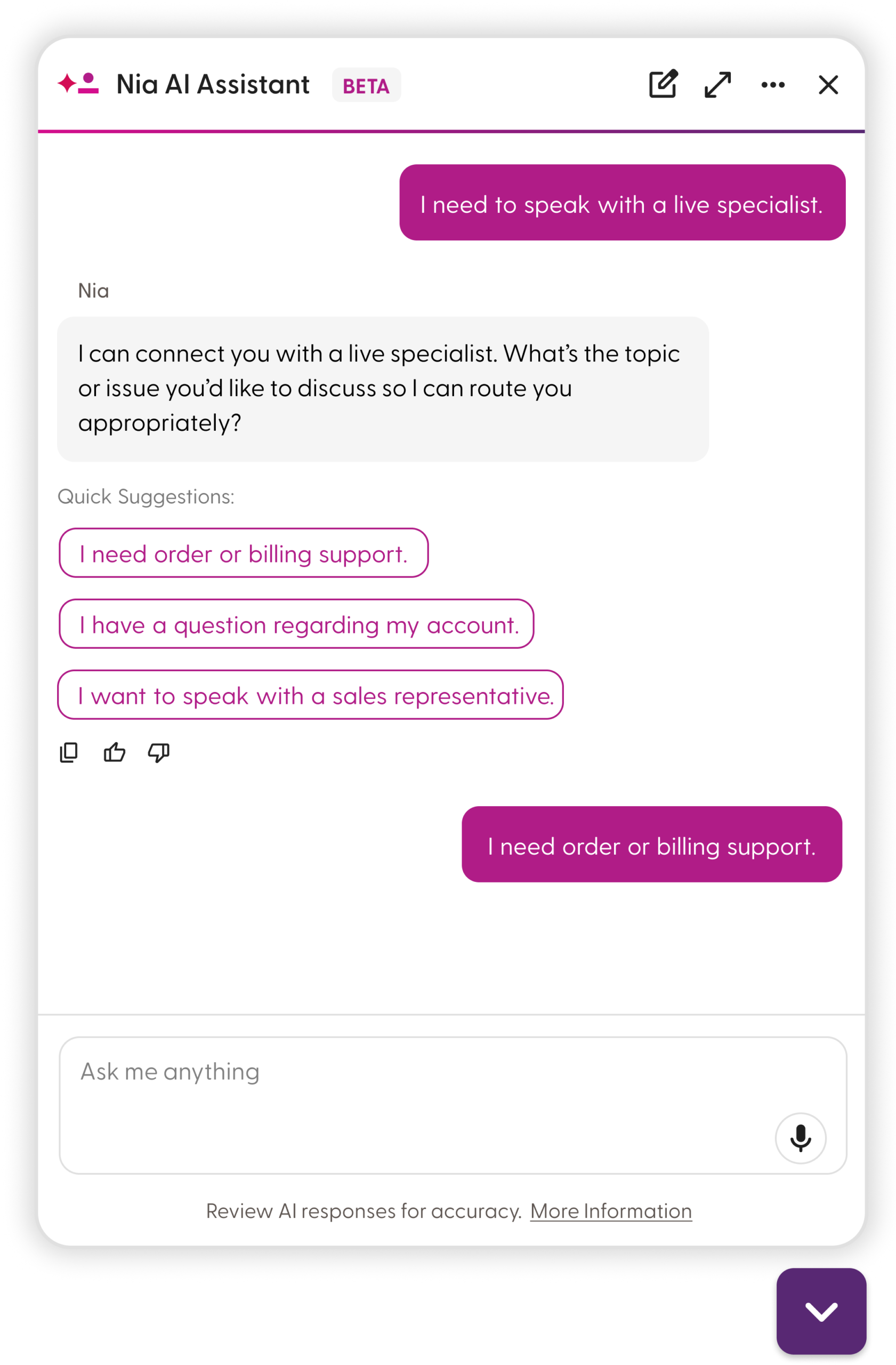
When NIA isn’t the right fit, customers can be connected to a live-agent chatbot.
NIA first asks the customer to explain what they need help with, then provides a summary of the request to Harmony Agent, which uses that context to look for an available agent.
This helps reduce the need for customers to repeat their issue when transitioning from NIA to live support.
Accessories and Warranties
NIA can also surface relevant accessories, warranties, and related products based on what the customer is looking for.
I explored how these recommendations could be introduced within the conversation without distracting from the customer’s original intent.
Takeaway
Working on NIA has given me the opportunity to design an AI experience across discovery, account-specific tasks, and customer support.
The challenge has been less about designing a chat interface and more about figuring out how different capabilities can work together without making the experience feel complicated.