

Overview
Nia is Insight’s next-generation AI assistant designed to help users navigate product discovery, procurement, and support tasks through a conversational interface. It enables users to ask product questions, add items to cart, track orders, and access relevant content without leaving the page.
Role: UX/UI Designer
Team: Senior UX Designer and UX/UI Designer
I’ve been part of this project since the early concept stage up to its current beta release, and I’m still actively working on it as it continues to grow.
As part of a two-designer team, I was involved in most of Nia’s user-facing functionality. My work spans from early research and competitive analysis to designing core interaction patterns and feature expansions.
Background
The idea for Nia started as a leadership initiative to introduce an AI assistant that users could talk to, including through voice. One of the early priorities was designing the voice experience, both how Nia responds and how users activate the microphone.
As the project progressed, the scope became bigger. What started as a conversational support tool evolved into a more complete assistant experience that now includes product suggestions, cross-sell opportunities like warranties and accessories, and growing support for account-related concerns.
Nia is currently in beta and continues to expand in capability.
Problem
Users needed a faster and more direct way to get answers about products and services without navigating multiple pages. There was an opportunity to make self-service more intuitive through a conversational interface.
Current Beta Experience
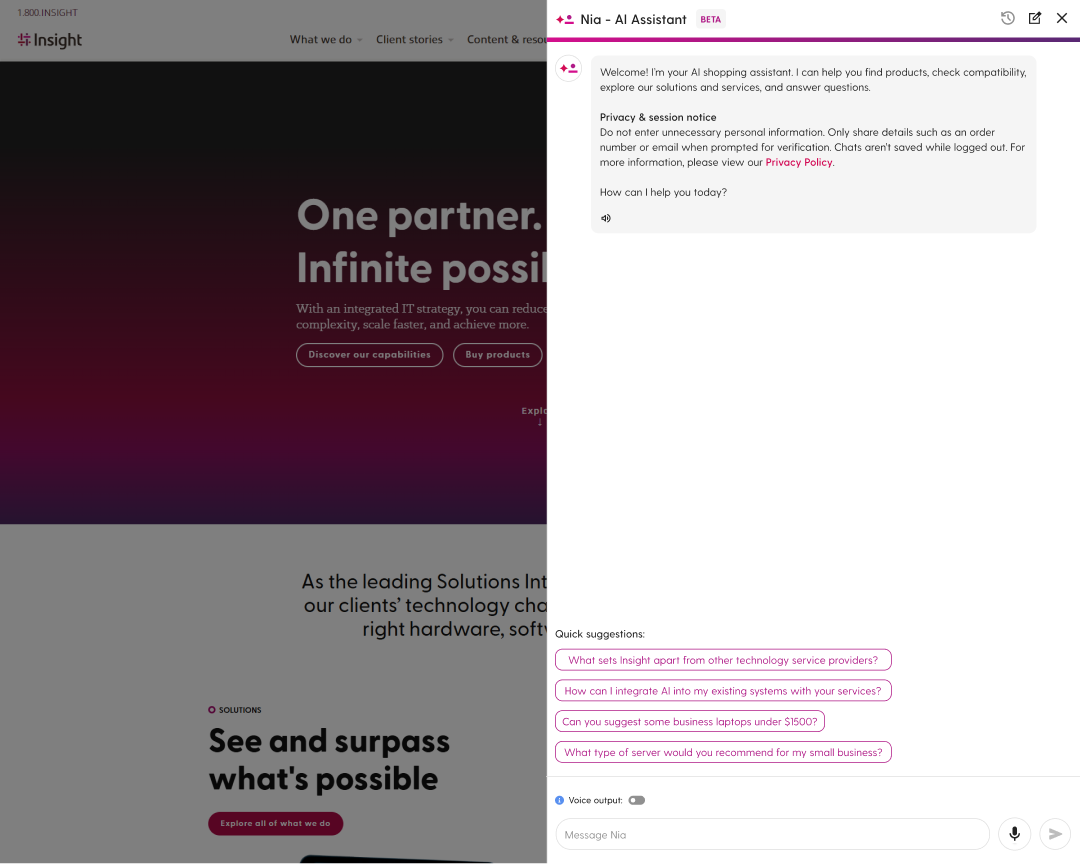
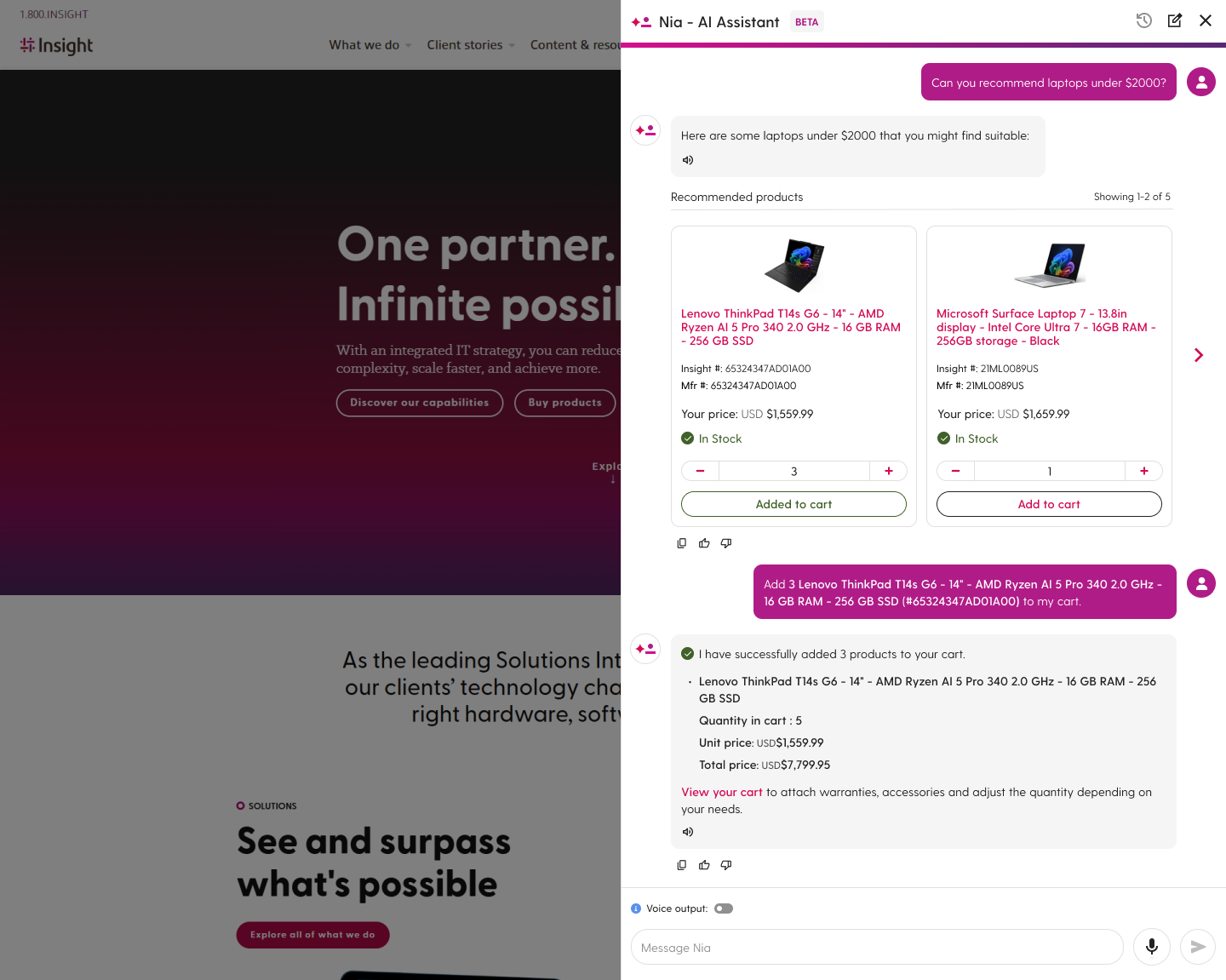
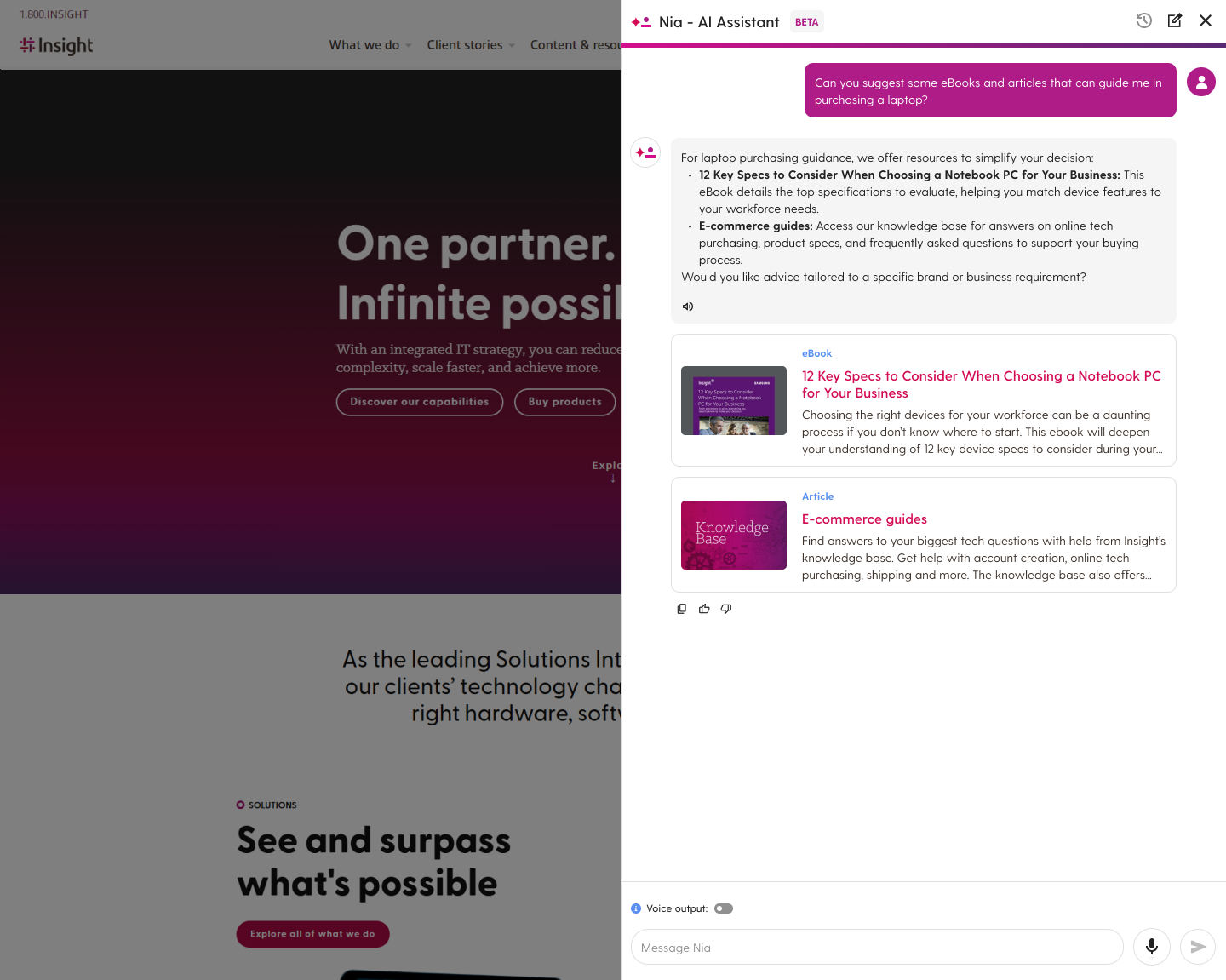
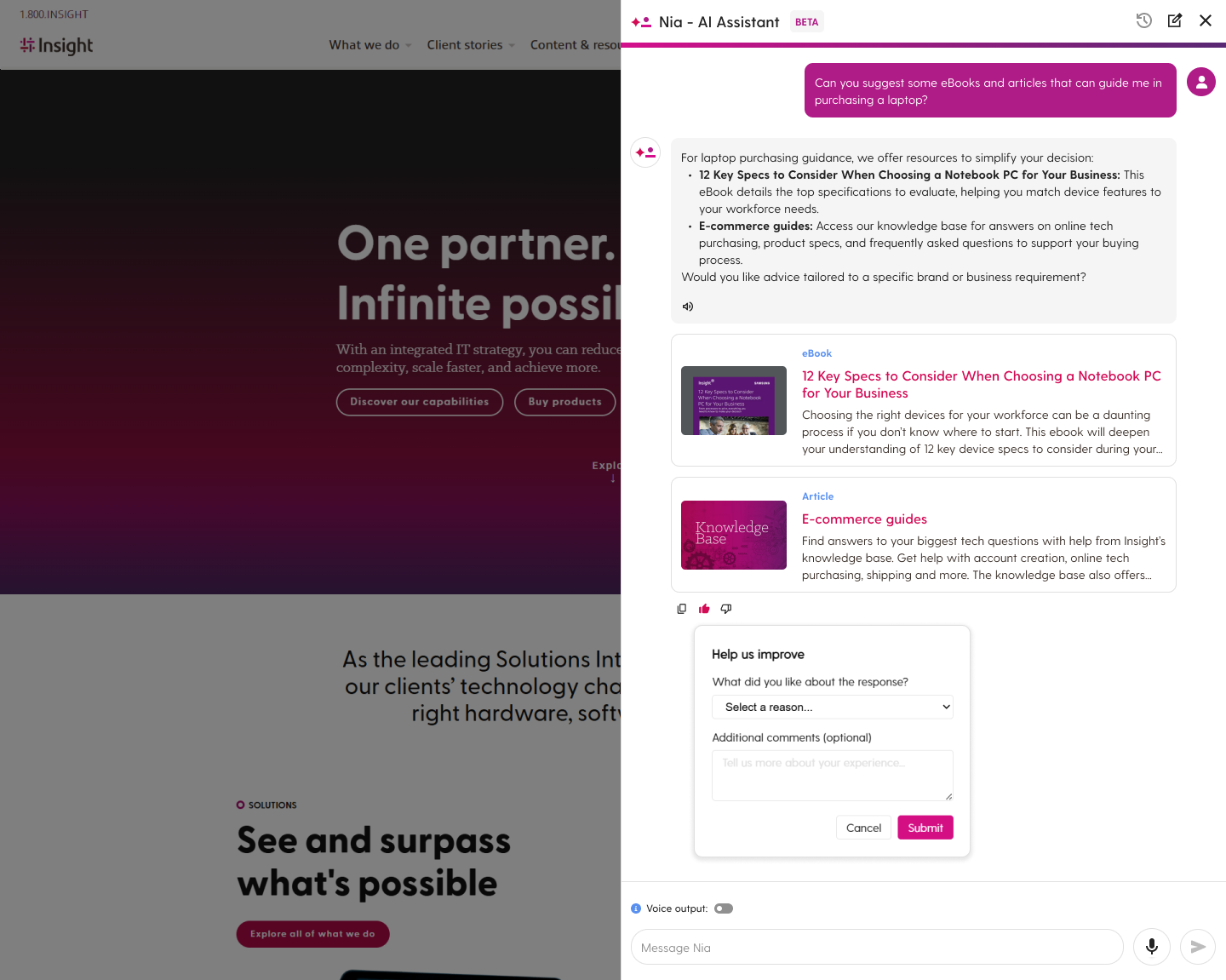
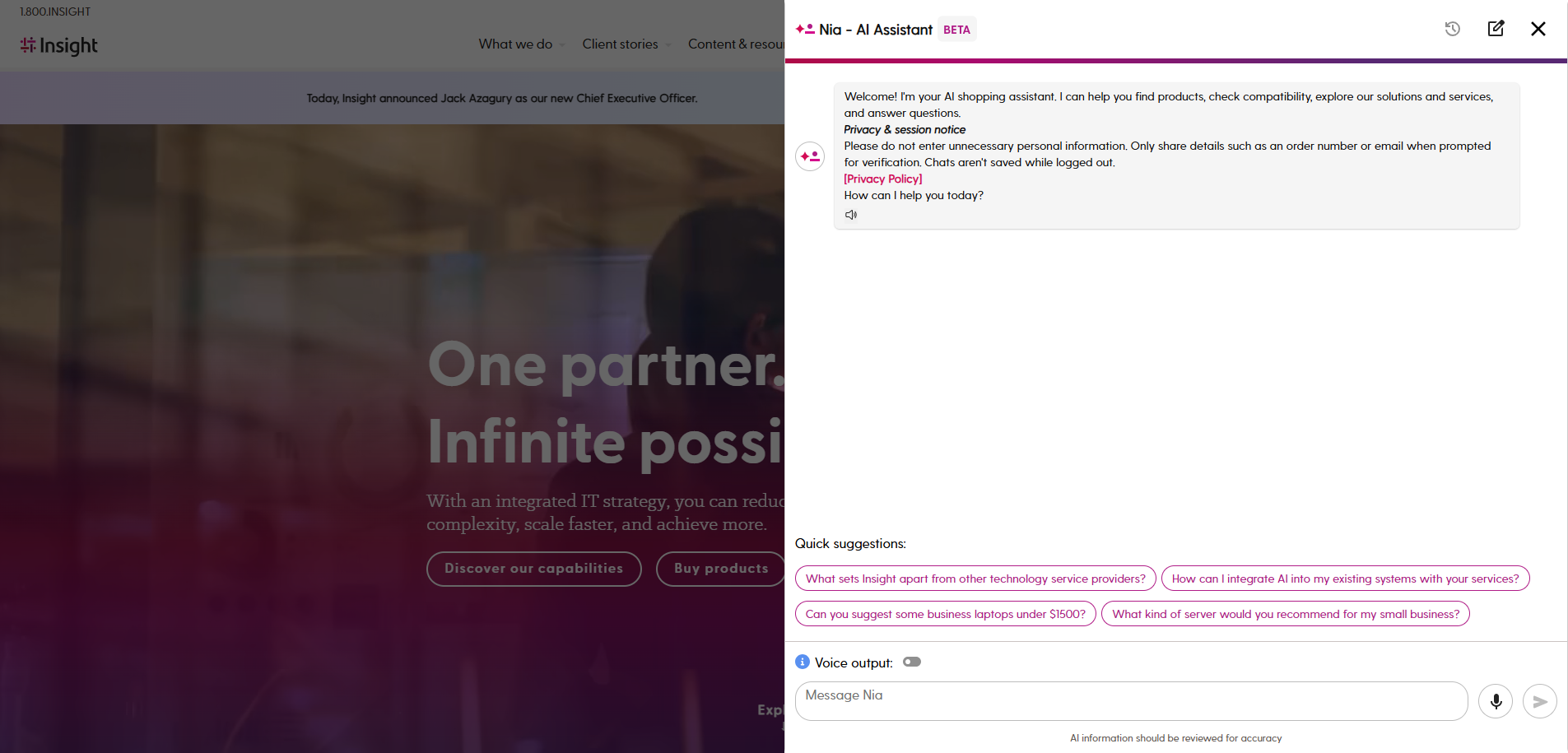
These screens show parts of Nia’s current beta experience. When users open Nia, it introduces itself and offers quick suggestions to help them get started. The intro message also includes privacy guidance, reminding users not to share sensitive information and setting expectations such as no chat history when using the AI assistant while logged out.
During conversations, Nia can suggest products, surface helpful content, and collect feedback to help improve the experience during beta.
Key Work Areas
Voice Interaction
We introduced voice interaction features to improve accessibility and give users more flexibility when using Nia. A voice output toggle lets users choose whether responses are read aloud, while a microphone button next to the submit field allows users to speak their questions instead of typing.

Content Suggestions
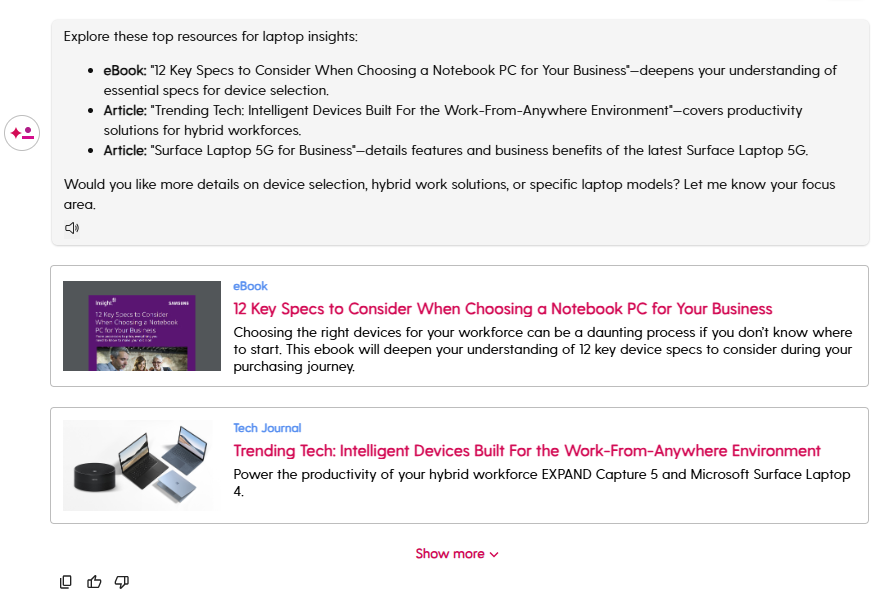
We designed content suggestion cards that allow Nia to surface relevant resources from Insight's content hub based on the user's question. These can include eBooks, articles, reports, case studies, and other content that help users explore topics and learn more about available solutions.
Product Recommendations
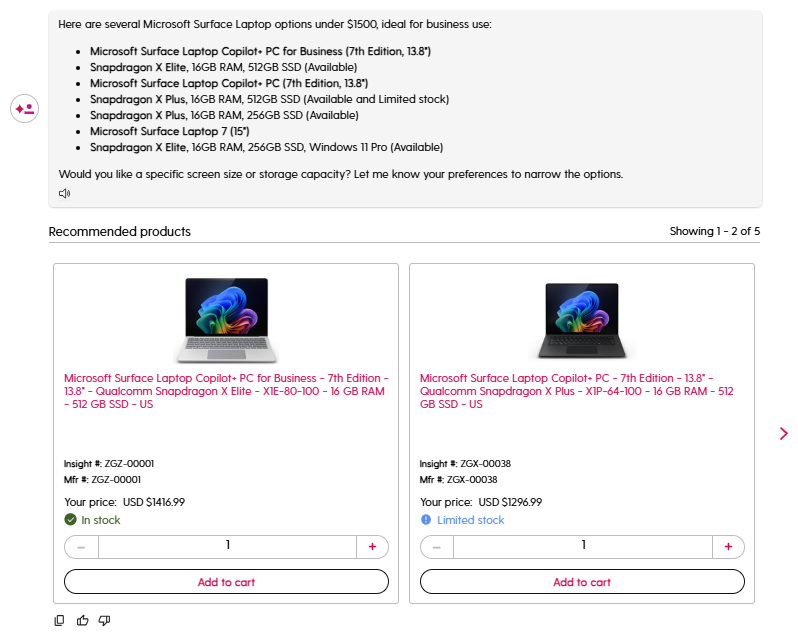
We designed an in-chat product recommendation component that allows Nia to provide relevant products directly within the conversation. Users can browse through the product carousel to see options, view key product details, adjust quantities, and add items to their cart without leaving Nia.
Users can also ask follow-up questions about recommended products, such as specifications or other product details, which Nia can answer within the same conversation.
Feedback Mechanism
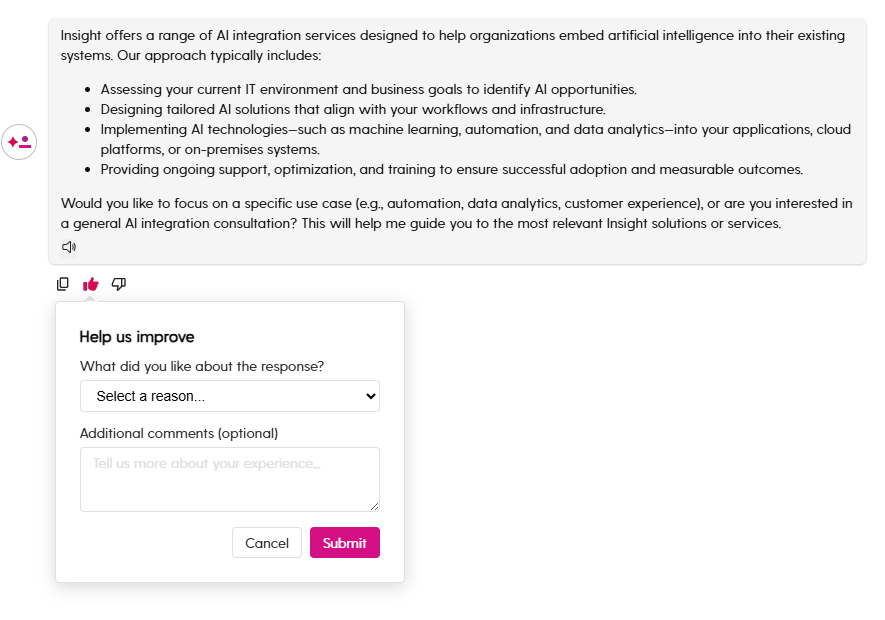
We introduced a feedback option that allows users to rate Nia's responses using thumbs up or thumbs down. When feedback is provided, users can select a reason and optionally leave additional comments to share more details about their experience.
This helps collect user insights during the beta phase and identify areas where responses can be improved.
Order Inquiries
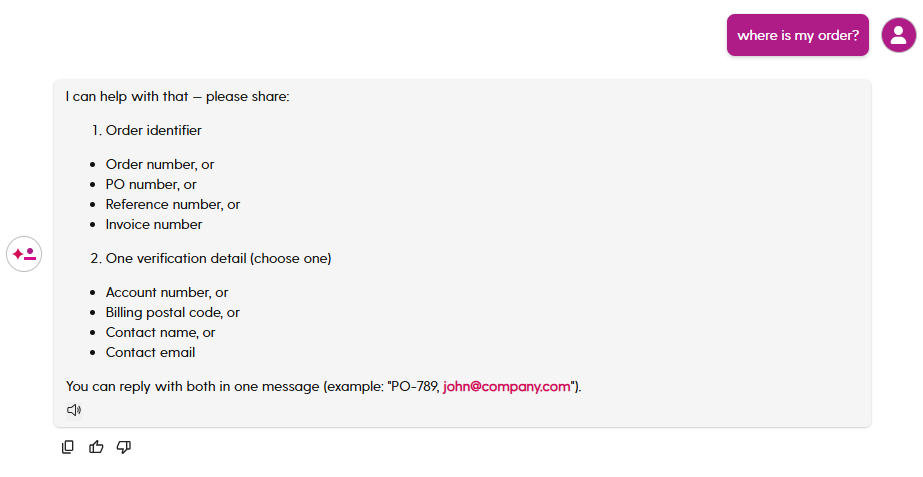
We explored support for order-related inquiries within Nia, allowing users to check order information directly through the assistant. For logged-out users, Nia requests an order identifier and a verification detail before providing updates. This capability is still evolving as part of the beta phase.
Beta Launch & Ongoing Work
Nia was first introduced to a limited group of users during the beta phase, allowing the team to observe interactions, gather feedback, and identify areas for improvement.
As Nia evolved, access was gradually expanded to logged-out users, enabling more people to explore its capabilities and interact with our AI assistant directly.
Nia continues to evolve as new capabilities are explored across the platform, with the goal of helping users find information, products, services, and support more efficiently through a conversational interface.
Takeaways
Working on Nia allowed me to design within a product that continues to evolve. The project required balancing conversational interactions with practical tasks such as product discovery and support inquiries.
It also gave me experience designing AI-assisted features that integrate with existing platform experiences while keeping usability, privacy, company policies, and user guidance in mind.
Note: Certain details have been generalized to respect confidentiality agreements.