PWDirectory: A Mobile App for Crowdsourcing Accessibility Reviews
Overview
People with disabilities, their families, or organizations that support them often struggle to find accurate and helpful information about a place’s accessibility. It is difficult to know in advance if a restaurant, shopping mall, or public space has features like ramps, wide entrances, or accessible restrooms, or to get a clear sense of the place’s overall accessibility.
User Research
To better understand the needs and pain points of people with disabilities and their companions, I conducted a survey. The survey helped me gather insights about how people currently search for accessible places, the challenges they face, and what features they expect from an app that crowdsources accessibility information.
Survey Questions
- How do you currently find information about accessible places?
- What challenges do you face when finding accessible places?
- What features or information would you consider essential for an app that helps find and evaluate accessible places?
- What would motivate you to share information about accessible places?
- How likely are you to contribute information about a place's accessibility to a new app?
- Which accessibility features in public places or establishments are most important to you, your family member, or companion?
Target Users
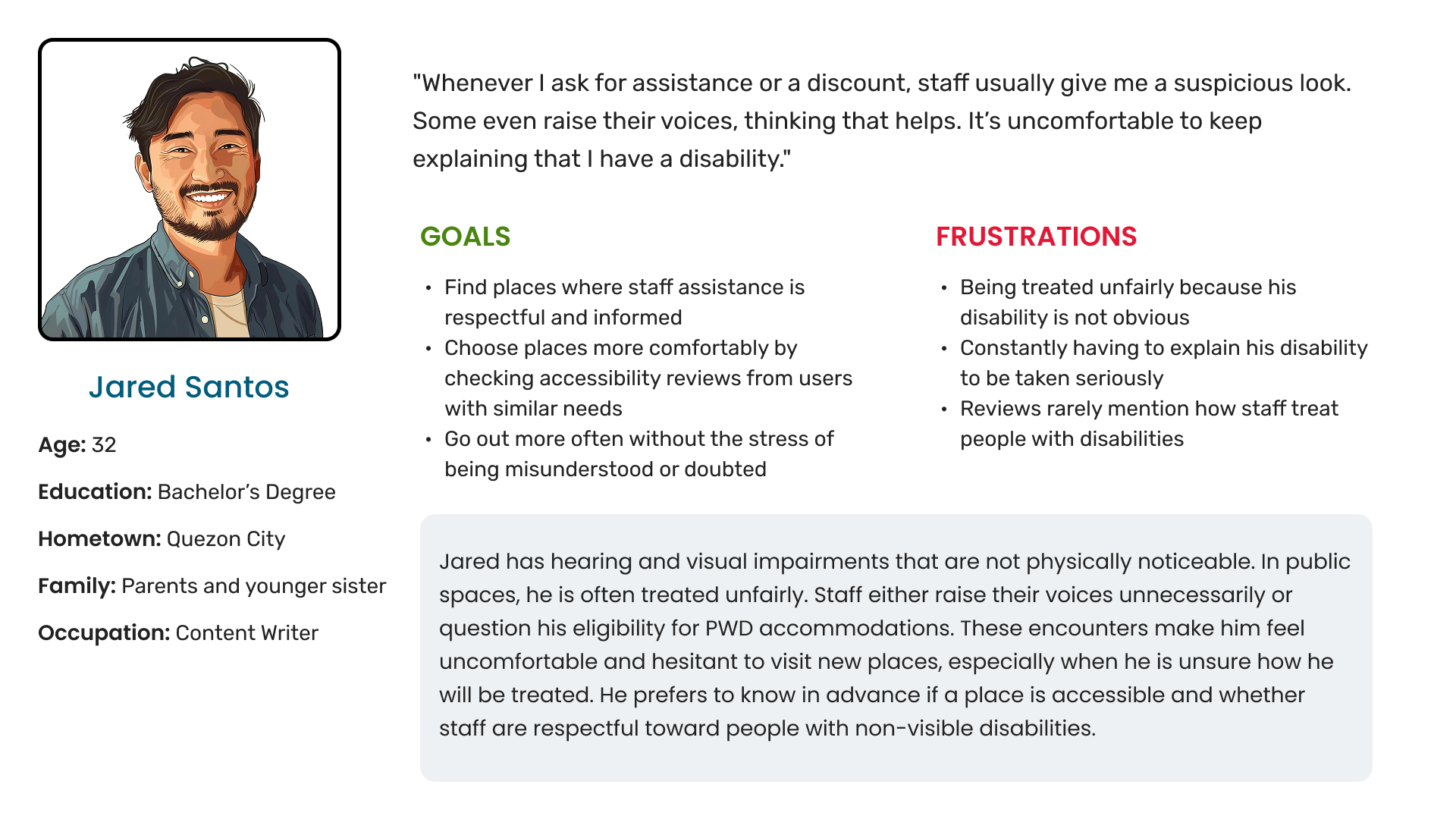
- People with disabilities
- Family members or companions of PWDs
- Advocates or those who actively seek accessibility information
Pain Points
- Users often rely on general review platforms that don’t prioritize accessibility details.
- Accessibility needs vary, but most platforms don’t let users search by feature (e.g., restrooms, ramps, parking).
- Many avoid unfamiliar locations due to fear of inaccessibility.
- Users are willing to share reviews but need a reason to participate regularly.
- Accessibility is often treated as an afterthought.
Personas
Problem Statement
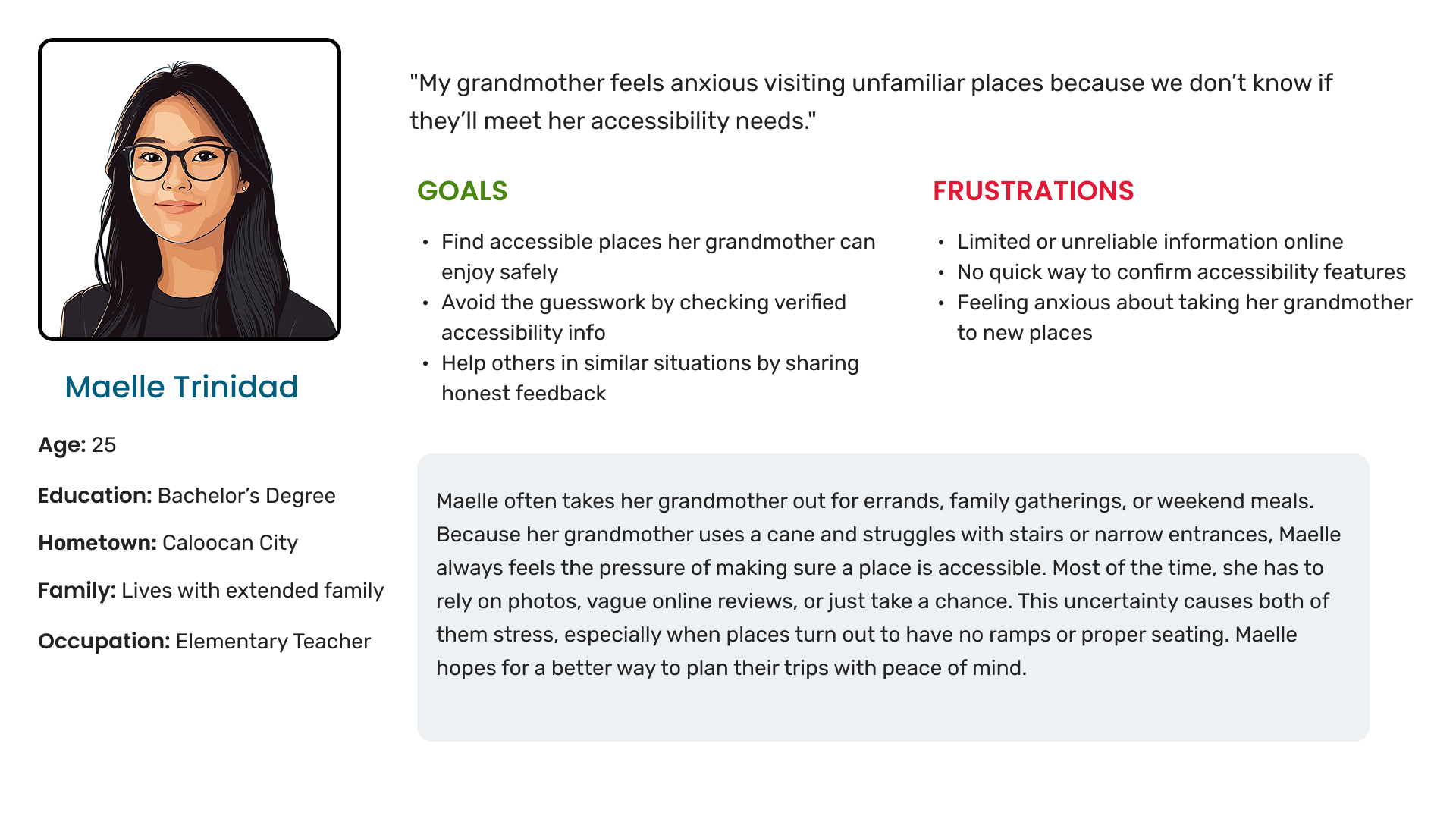
Maelle is a young professional who needs a reliable way to find trustworthy accessibility information for public places because she wants to plan safe and stress-free trips for her grandmother with mobility limitations.
Why crowdsourcing will work?
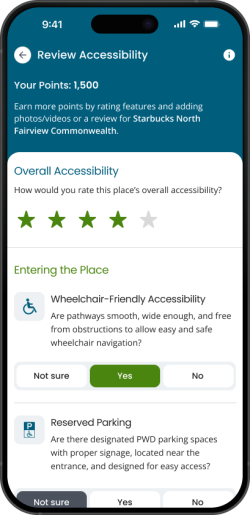
Just like other crowdsourcing apps, PWDirectory will have people review places for their overall accessibility, confirm available accessibility features, and leave reviews.
Crowdsourcing is the most ideal approach for this kind of app, especially since the target users are differently-abled people or PWDs. By sharing real experiences when visiting places, people can help each other know if the accessibility features are actually useful. As shown in the survey, accessibility is often treated as an afterthought. With crowdsourcing, people can freely support each other, and establishments can improve their accessibility not just to comply with the law but to make it genuinely valuable for everyone.

Design Phase
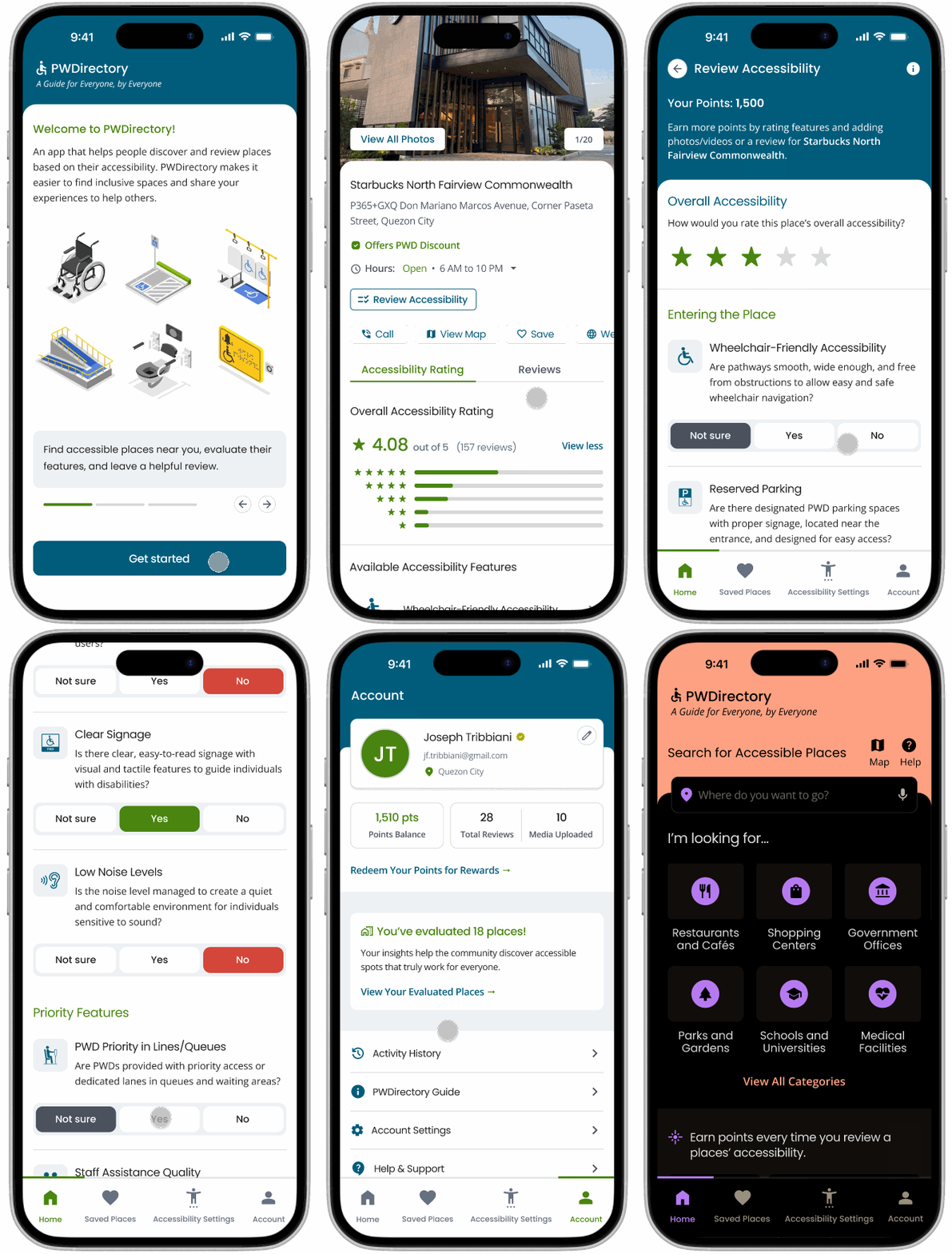
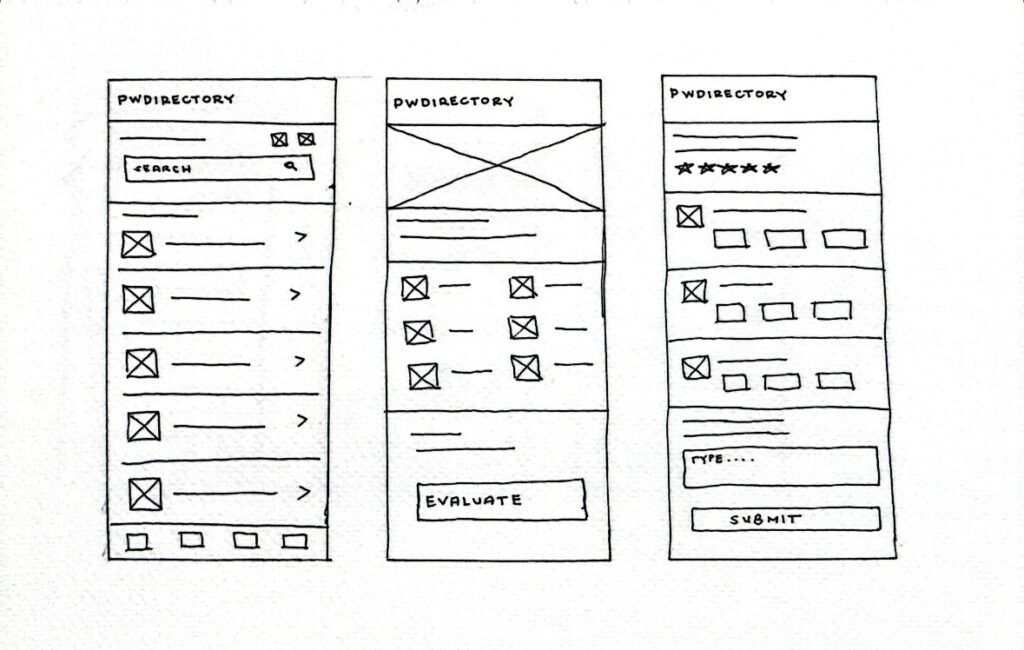
I started with quick paper wireframes to visualize the main user flow. I sketched three early concepts covering the home page, the place details page, and the evaluation page.
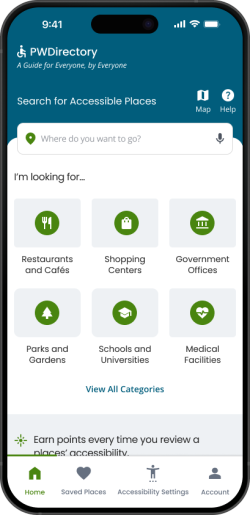
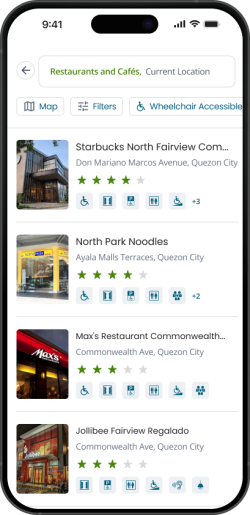
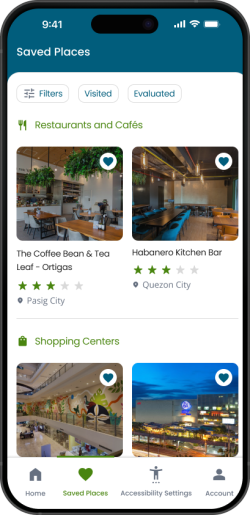
Home page – focuses on helping users search for accessible places and quickly filter them by category.
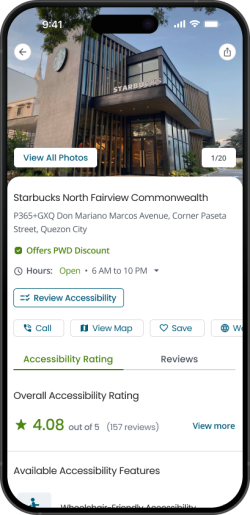
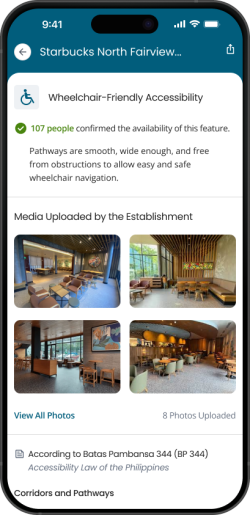
Place details page – displays the available accessibility features that have been reviewed by other users, since the app relies on crowdsourced information.
Evaluation page – allows users to check whether specific features like reserved parking, accessible restrooms, reserved seating, etc., are available, and write a review about their experience.
Wireframe
Mockup
Usability Testing
Methodology
A remote unmoderated usability test was conducted using high-fidelity mockups. This was important because the target users include people with disabilities, so it was necessary to see if the fonts, colors, icons, and other visual elements were clear and accessible, especially for those with visual impairments.
The test used Lookback.io, which allowed participants to complete tasks independently while their screens and audio were recorded. They were asked to think out loud to help identify pain points, understand their actions, and gather useful feedback.
Research Goals
The usability test focused on three main goals:
- Confirm that users could search for a place, view its overall accessibility ratings, see available accessibility features, read user reviews, and evaluate or review the place themselves.
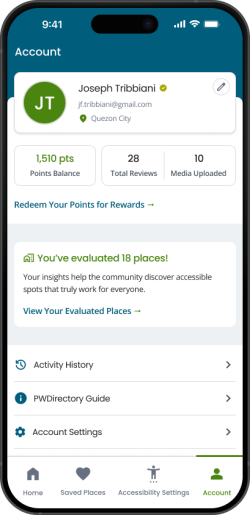
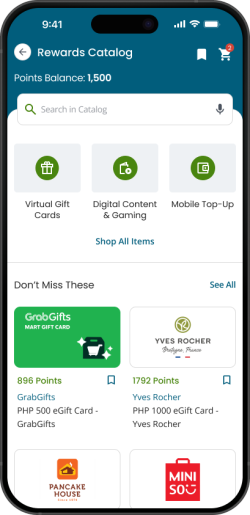
- Determine if users could understand the points and rewards system that motivates them to contribute reviews.
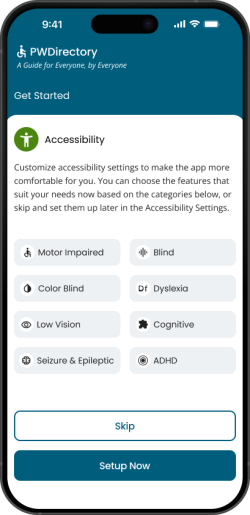
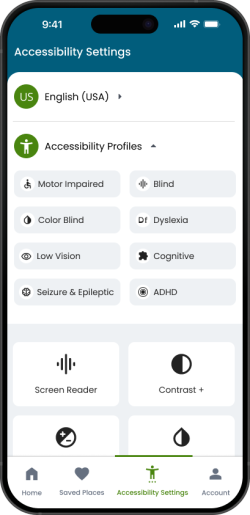
- Ensure that users could locate and adjust the accessibility settings to match their individual needs.
Key Findings
Accessibility settings
Users had trouble finding the accessibility settings in the main navigation. The word “Accessibility” was too generic and didn’t clearly signal that users could change their personal settings there.
Users were unsure what the app does
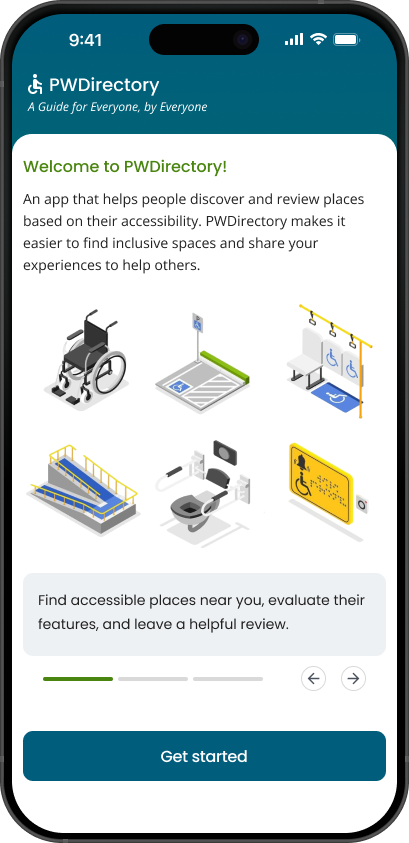
Users were unsure what the app was for and what they were expected to do once they landed on the home screen.
Review button placement
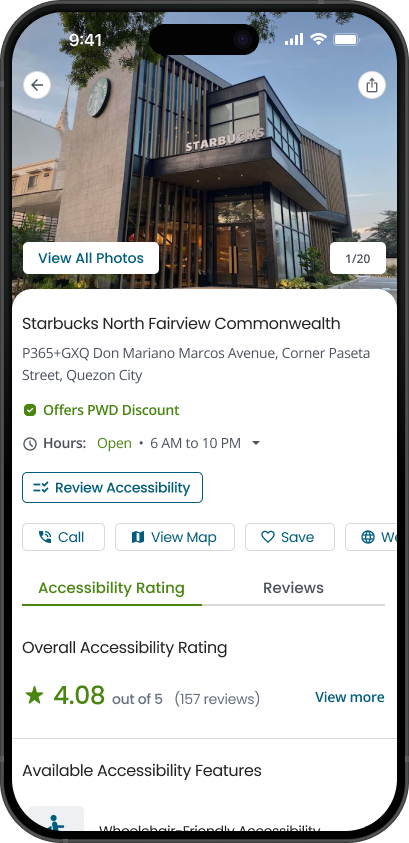
The “Review Accessibility” button was placed below the list of accessibility features, so users missed it when browsing reviews and didn’t see where to add their own.
Updated Mockups
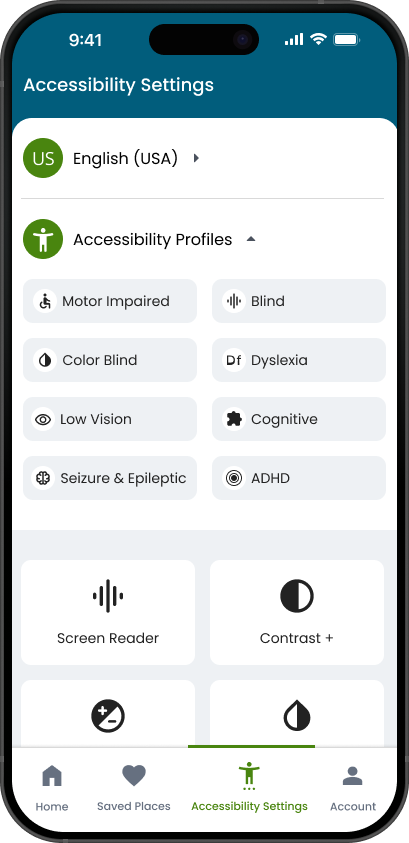
Changed the label to “Accessibility Settings,” made the font weight heavier, and moved the icon next to the profile where people naturally expect to find personal settings.
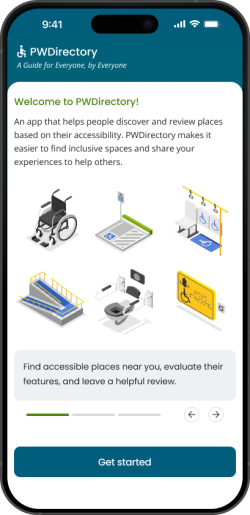
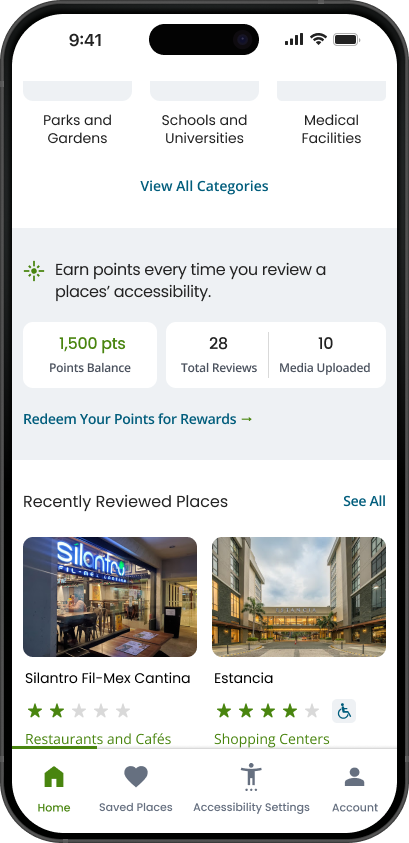
An introduction screen was added before users get started, and the point system was highlighted on the homepage to show that reviewing places is the main goal.
Kept the button at the bottom but also added a second “Review Accessibility” button at the top next to the place details so users can easily find it.
Prototype and Next Steps
Next Steps
- Let businesses add details and photos of their accessibility features.
- Have real users check/verify this information and share their own experiences.
- Combine business info and user reviews to keep listings correct and up to date.
- Show community milestones, like top contributors and most-reviewed places, to motivate users.
Takeaways
This project showed how important user testing and continuous iteration are. Improving the idea from an old capstone and building it again from scratch made the app clearer, more practical, and more user-friendly for people with different accessibility needs.